AutoPlanner
The chore
Study-hall staff in the CLC (Center for Learning and Collaboration) spent hours each week logging into student Canvas accounts and copying assignments by hand. AutoPlanner does the copying now.
The fix
Each student’s Canvas assignments, rebuilt as a weekly Google Doc.
Makes
A Google Doc for each student: this week at a glance, a tab for each week sorted by class and by day, and every past week kept.
Updates
By itself, every day at about 7 pm and midnight, on Google’s servers. No computer needs to be on.
Leaves alone
Status, Notes and an “Added by staff” table. Staff own them, and every update keeps them.
Who can open it
Only CLC staff, signed in with their Pomfret accounts.
How it works
Each student makes a Canvas access token. Staff paste it in once; AutoPlanner keeps it on Pomfret’s Google and only ever shows its last four characters.
Every day at about 7 pm and midnight, it fetches the next four weeks of assignments for every student. A button updates everyone on the spot.
It updates each student’s Google Doc: a home tab for the week, a tab per week sorted by class and by day, and past weeks kept below. Status, Notes and “Added by staff” are never touched.
AutoPlanner takes three Canvas tokens, fetches every schedule, switches between student tabs and creates a Google Doc. Demo data.
- At 0.5 seconds:Paste each student’s Canvas token once.
- At 2.6 seconds:One click pulls every schedule.
- At 4.2 seconds:A color per class, a tab per student.
- At 8.5 seconds:One more click writes the Google Doc, sorted by class and by day.
As delivered, October 2026.
The footage above is the May prototype. This is the version the CLC uses now.
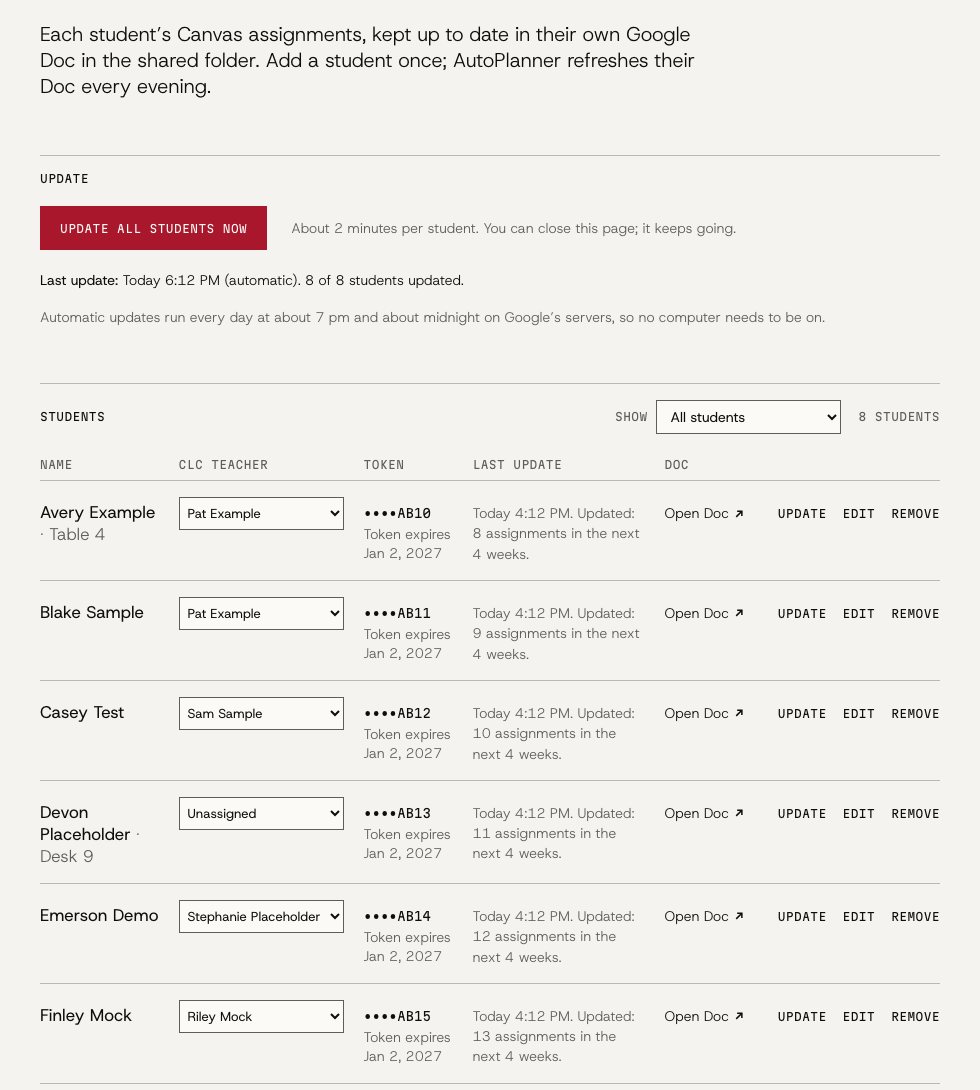
The staff page, as delivered. Only CLC staff can open it. Demo data.
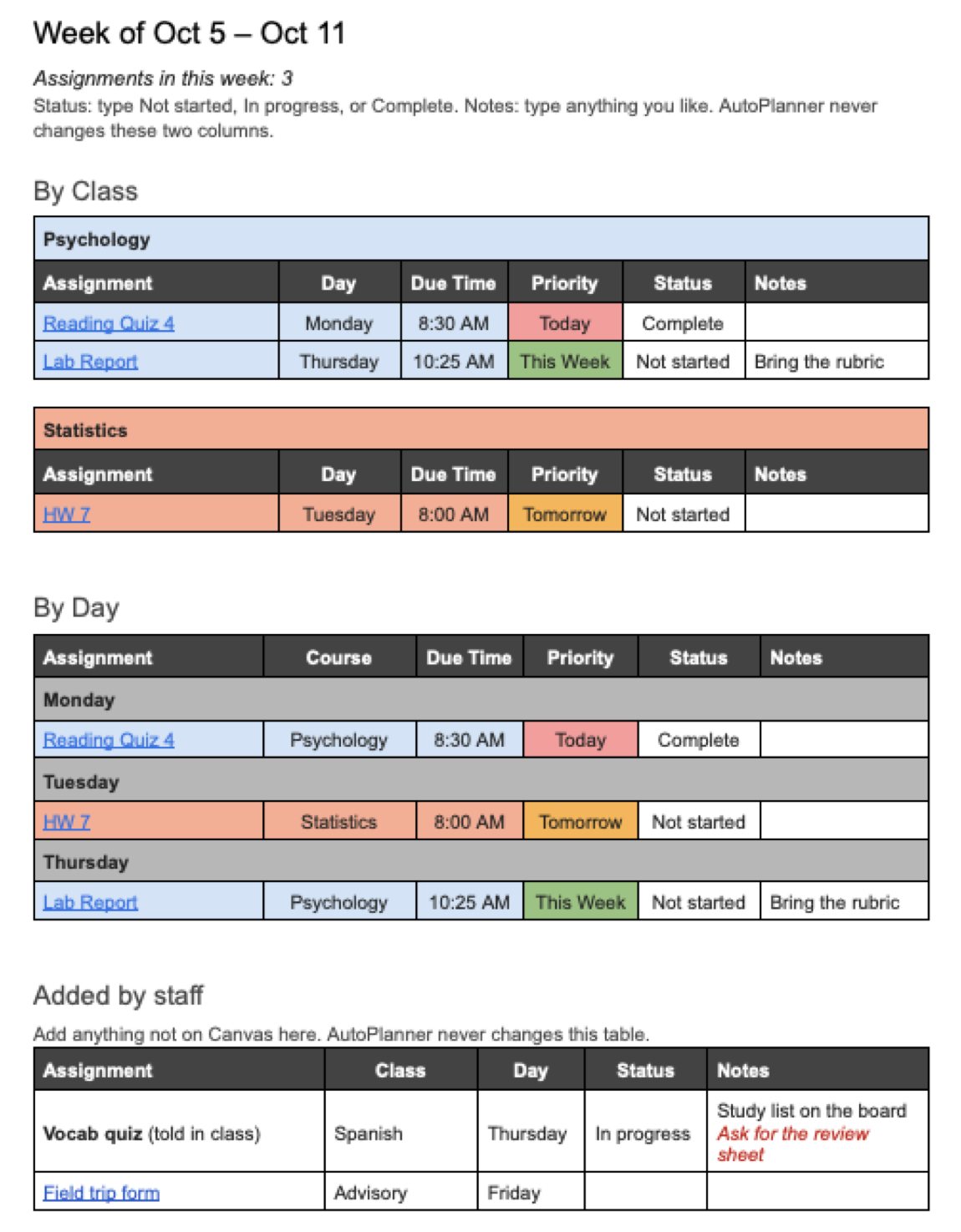
A week tab in a student’s Doc: by class, by day, and “Added by staff”. Demo data.
Credits
Built by Luke Ryan ’27 and Jack Weinberg ’27 for the CLC Supported Study Hall.
- Team this year Luke Ryan ’27, Jack Weinberg ’27, Lucas Feng ’30 and Justus Schroeder ’29.
- Runs on Canvas, Google Apps Script and Google Docs.
- Status Delivered to the CLC, Oct 2026.
- Repository (opens in a new tab)
Next: Case B
Music Studio
Music Department
Lesson invites after a quick preview, a Drive folder per student, a recap after every lesson.